How selling a domain works
To sell a domain name you work out what it is worth, put it in front of likely buyers (a marketplace listing, a landing page or direct outreach), agree a price, and then hand it over through a secure payment and a registrar transfer. The part that protects you is the last one: do not release the domain until the money is confirmed.
Anyone who owns a registered name can sell it, because what you sell is the right to renew and control that registration. If you are unsure how registration and renewal work, read are domains a one-time purchase first. The steps below follow the order you would actually do them in.
Need the domain first?
Runs the same live check as the front page. If it is taken we will show you when it expires.
Step 1: Estimate what the domain is worth
There is no official price list for domains. Value is whatever a buyer will pay, so treat every number you find as a rough guide. The factors people usually weigh are:
- Length and spelling. Short names that are easy to say, spell and remember are easier to use as a brand.
- Extension. .com is the default most buyers ask for. Other top-level domains can be valuable too, especially country extensions for a local market.
- Keywords and meaning. A name that describes a product, service or industry can suit a business in that field.
- History. Age, existing traffic and backlinks can matter to buyers who care about search visibility. Check what the name was used for before you claim anything about it.
- Demand. Interest in a topic changes over time, and so does what buyers will pay for related names.
Automated appraisal tools such as the ones offered by registrars and marketplaces can give a first idea, but they are estimates, not offers. A better check is to look for recent sales of comparable names (same length, extension and type of word) and see what they went for. Be honest with yourself about whether the name is a brand a business would build on or just a name you like.


Step 2: Get the domain ready
- Confirm you control it. Log in to the registrar account and check you can reach the transfer settings. A WHOIS lookup shows the registrar and expiry date; here is how to find where a domain is registered.
- Check the expiry date. Renew it if it is close, so the buyer is not left with a name about to lapse. See the domain life cycle for what happens if it does.
- Check for trademark problems. A name that contains someone else's brand is hard to sell and can lead to a dispute. ICANN's UDRP is the usual route trademark owners use against bad-faith registrations.
- Collect facts you can prove. Registration date, past use, and traffic or backlink figures from your own analytics or an SEO tool. Share real numbers only, and say where they came from.
- Check the transfer lock. ICANN's Transfer Policy describes a 60-day lock on inter-registrar transfers after a change of registrant, which a registrar may let you opt out of. If you recently changed the owner details on the domain, ask your registrar how this affects a sale.
Step 3: Choose where to list it
You have three realistic options, and you can combine them.
- Marketplaces and auctions. Sedo, Flippa and Afternic are places to consider for seller listings. GoDaddy Auctions stopped accepting new member-to-member listings in 2024; GoDaddy directs sellers to Afternic. Each has its own fee structure, listing rules and audience, so read the current terms before you list.
- A for-sale landing page. Point the domain at a simple page that says it is for sale and gives a contact form or email address. Anyone who types the name in, or finds it through search, can reach you. See DNS records and nameservers for how to point it at a page.
- Direct outreach. If a specific business would obviously benefit from the name, a short, polite email explaining what you have is often better than waiting. Research the company first and do not send the same message to hundreds of people.
Step 4: Write a clear listing
A good listing is short and factual. Include the domain, the asking price or "make an offer", how to contact you, and a few lines on why the name could suit a buyer. Add history and metrics only if you can back them up. Do not exaggerate traffic or rankings: a buyer who checks and finds a gap will walk away.
Step 5: Negotiate
- Decide your floor before the first reply. Know the lowest price you would accept so you are not deciding under pressure.
- Answer quickly and politely. Slow or vague replies lose buyers.
- Expect counteroffers. Compare each offer to your estimate of value and to comparable sales, and leave room to move if the first offer is close.
- Put the agreement in writing. Price, currency, who pays escrow fees, and the date by which the transfer will happen.
Step 6: Close safely with escrow and a transfer
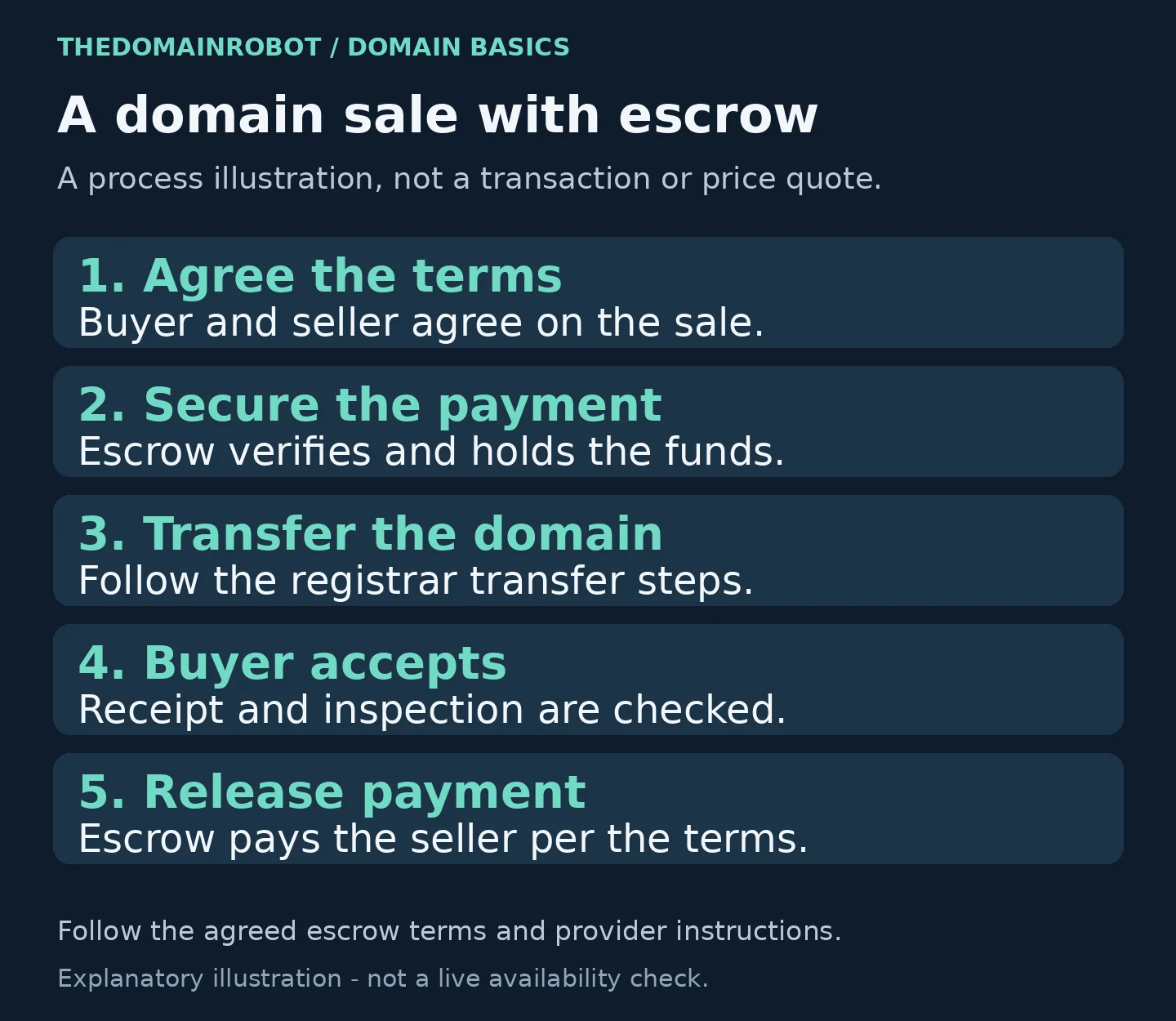
The risk in a domain sale is that one side acts first and the other disappears. Either you hand over the domain and never get paid, or the buyer pays and never gets the domain. An escrow service reduces this risk by holding the money while the transfer happens. Verify the service and payment instructions independently; escrow does not remove every risk. Escrow.com describes its domain process as five steps:
- Buyer and seller agree on terms.
- Buyer pays the escrow service.
- Seller transfers the domain name.
- Buyer approves the domain name.
- The escrow service pays the seller.
Marketplaces like Sedo have their own transfer services that work the same way. Whichever you use, the transfer itself is done at your registrar. Normally you unlock the domain and give the buyer a transfer authorization code (often called an auth or EPP code), or you push the domain to the buyer's account if both of you use the same registrar. ICANN's Transfer Policy sets the minimum standards a registrar's transfer process has to meet, and your registrar's help pages explain its exact steps, so follow those. Do not change the nameservers or release the code until escrow confirms the buyer's payment is held.
Keep a copy of all emails, the agreed terms and the escrow receipt. If a dispute comes up, those records are what you will have.
Mistakes to avoid
- Releasing the auth code before payment is secured.
- Paying a "broker" or "valuation" fee up front to someone who contacted you unprompted.
- Using an appraisal tool's number as an asking price without checking comparable sales.
- Letting the domain expire while the sale is in progress.
- Listing a name that contains another company's trademark.
FAQ
How long does it take to sell a domain?
It varies a great deal. A name with clear commercial use can sell quickly, while a niche name can sit for a long time. There is no reliable average we can point to, so do not plan on a sale by a particular date.
Do I need a broker?
No. You can sell on your own through a marketplace, a landing page or direct contact. Brokers take a commission in exchange for outreach and negotiation, which can make sense for a high-value name. Agree the terms in writing before you hire one.
Can I sell a domain I only just registered?
Yes, but check your registrar's rules. ICANN’s rules allow denial of an inter-registrar transfer within 60 days of initial registration or a prior registrar transfer. A separate 60-day change-of-registrant lock can also apply; ask your registrar about eligibility and any permitted advance opt-out. If you are looking at the opposite side of the market, see domain investing.
What if I want to buy a domain instead?
Start with names that are available to register on our expired domains list, or use the domain name generator to find an unregistered name.
Sources
For the seller-listing change, see GoDaddy’s announcement about its Auctions changes.