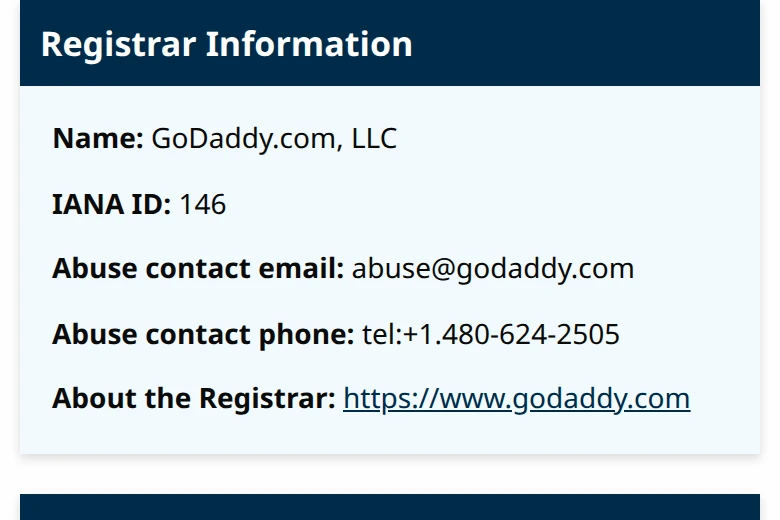
To find out where your domain is registered, enter it in ICANN's free registration data lookup tool and read the Registrar section of the result. The registrar sponsors the registration. You normally manage renewals, transfers and domain settings through your registrar account or its reseller.
It is easy to lose track of this. Domains are often bought years ago, by a former colleague, a web agency or a hosting company, and the invoice emails are long gone. The lookup below needs no login. Data availability varies by TLD and provider; for an unsupported country-code TLD, check the registry’s own lookup service.
Step-by-step: find the registrar with ICANN lookup
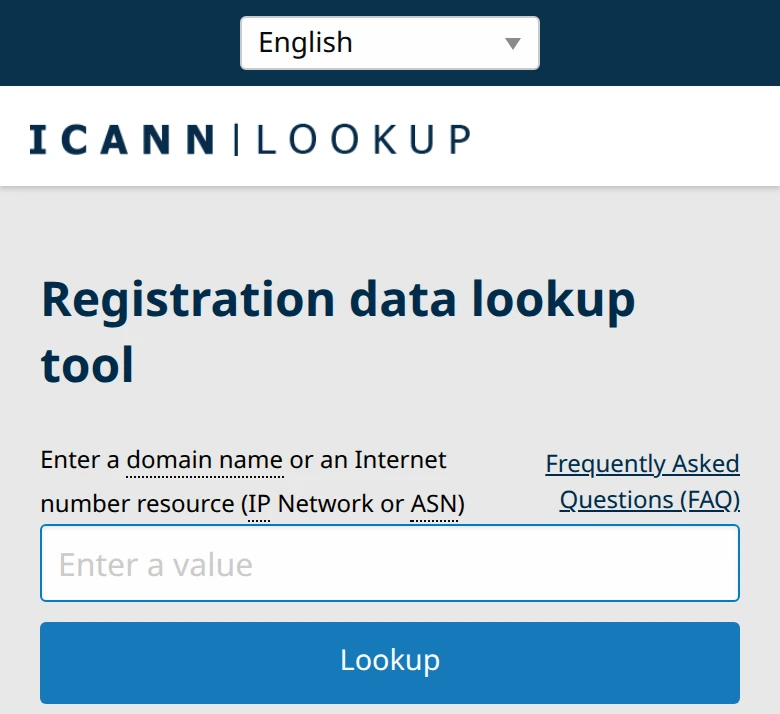
- Open lookup.icann.org.
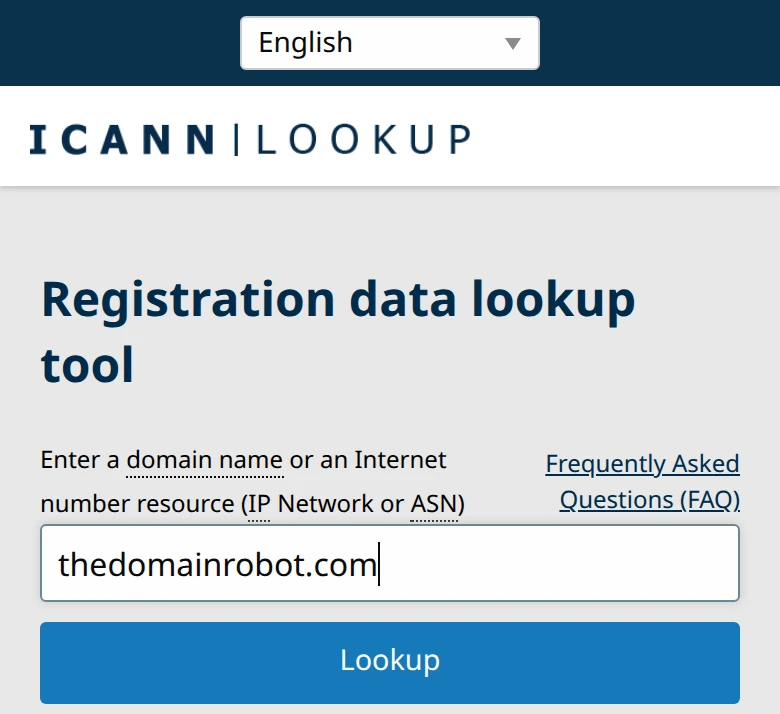
- Type the domain name (for example
example.com) into the input field and press Lookup. - Read the registrar information in the result. It names the registrar that currently sponsors the domain, and usually shows registration and expiry dates and the name servers too.
ICANN's tool runs RDAP queries, and the results come directly from the registry operators and registrars. According to ICANN, RDAP was created as a replacement for the older WHOIS protocol, and since 28 January 2025 most generic TLD registries and registrars are no longer required to run WHOIS services (.com, .name and .post are the exceptions). If you see the term WHOIS in older guides, today's lookup is the same idea with a newer protocol.
You can also use our own WHOIS lookup, which shows registration, name server and DNS details in one place.
Need the domain first?
Runs the same live check as the front page. If it is taken we will show you when it expires.
What the lookup tells you
- Registrar: the sponsoring registrar; your account may be with its reseller.
- Dates: when the domain was created and when the registration expires. If the date is close, renew first. Our guide to the life cycle of a domain name explains what happens if it is missed.
- Name servers: where the domain's DNS is managed. This is often not the registrar. See what a nameserver is.
- Status codes: flags such as a transfer lock, which matter if you plan to move the domain.

Registrar, host and DNS provider are three different things
People often search for "where is my domain registered" when they actually mean "who runs my website". The three roles can be the same company, but they do not have to be.
- Registrar: holds the registration of the name. You are leasing the name for a set period, typically one or more years, rather than buying it outright. This is what the lookup above shows. For background see what a domain is.
- DNS provider: the service whose name servers answer for the domain. It is listed as the name servers in the lookup. Read what DNS is and how it works for the basics.
- Web host: the server that stores your website files. To find out who hosts a site, use our guide on finding where a domain is hosted.
If the lookup shows a registrar you do not recognise, check old invoices and the email address of whoever set up the site. Registrars send renewal notices to the contact email on file, so searching that inbox for the domain name often finds the account.
If the registrar is not yours
The lookup may name an accredited registrar while your account and invoices are with its reseller or a web agency. The registrar field does not identify that reseller account. Ask whoever registered it to either give you access or start a transfer to an account you own. The usual first step is getting the authorisation code and unlocking the domain at the current registrar. See how domain ownership transfers work.
If you are checking a domain that belongs to someone else and want to contact the owner, our post on finding out who owns a website covers what registration data is usually public and what to do when it is hidden.
Changing name servers after you find the registrar
Once you know the registrar, you can log in and manage the name servers. We have step-by-step guides for Namecheap and GoDaddy.
FAQ
Is it free to find out where a domain is registered?
Yes. ICANN's lookup tool is free to use and needs no account.
The lookup shows a privacy service, not a person. Is the registrar still shown?
Yes. A privacy service replaces the owner's personal contact details, not the registrar information.
Can I find the registrar of a domain that isn't registered?
No. If nobody holds the domain, there is no registrar to show. It may be available to register.
My domain is registered, but I cannot log in. What now?
Use the registrar's password reset first, with the email address that registered the domain. If that address no longer works, contact the registrar's support and be ready to prove ownership.