Why use Cloudflare? For a website owner, the main reason is to combine authoritative DNS with an optional web proxy that can cache eligible content and apply security controls before requests reach the hosting server. Its Free plan includes core DNS, CDN, DDoS protection and SSL features, but it is not the same as getting every Cloudflare product at no cost.
The useful question is not whether Cloudflare is powerful. It is whether these functions solve a problem in your current setup without adding configuration you do not need. We separate the benefits from the limits below, including when keeping your existing provider may be the simpler choice.
What is Cloudflare used for?
Cloudflare provides several distinct services. Authoritative DNS publishes the records for a domain. The web proxy handles eligible HTTP and HTTPS traffic. Caching stores reusable responses, while security tools can inspect and filter proxied requests. Those functions are related, but enabling one does not mean every other function is automatically in effect.
Our overview of how DNS works explains the domain-lookup part. For website owners, it helps to think of DNS as the direction information and the proxy as an additional stop on the web request's route.
Cloudflare also offers products for other jobs, including application development and private access. Do not assume that a feature mentioned somewhere on its website is included in a basic website plan. Check the particular product's availability and billing before enabling it.
Need the domain first?
Runs the same live check as the front page. If it is taken we will show you when it expires.
Benefit 1: manage DNS without changing the web host
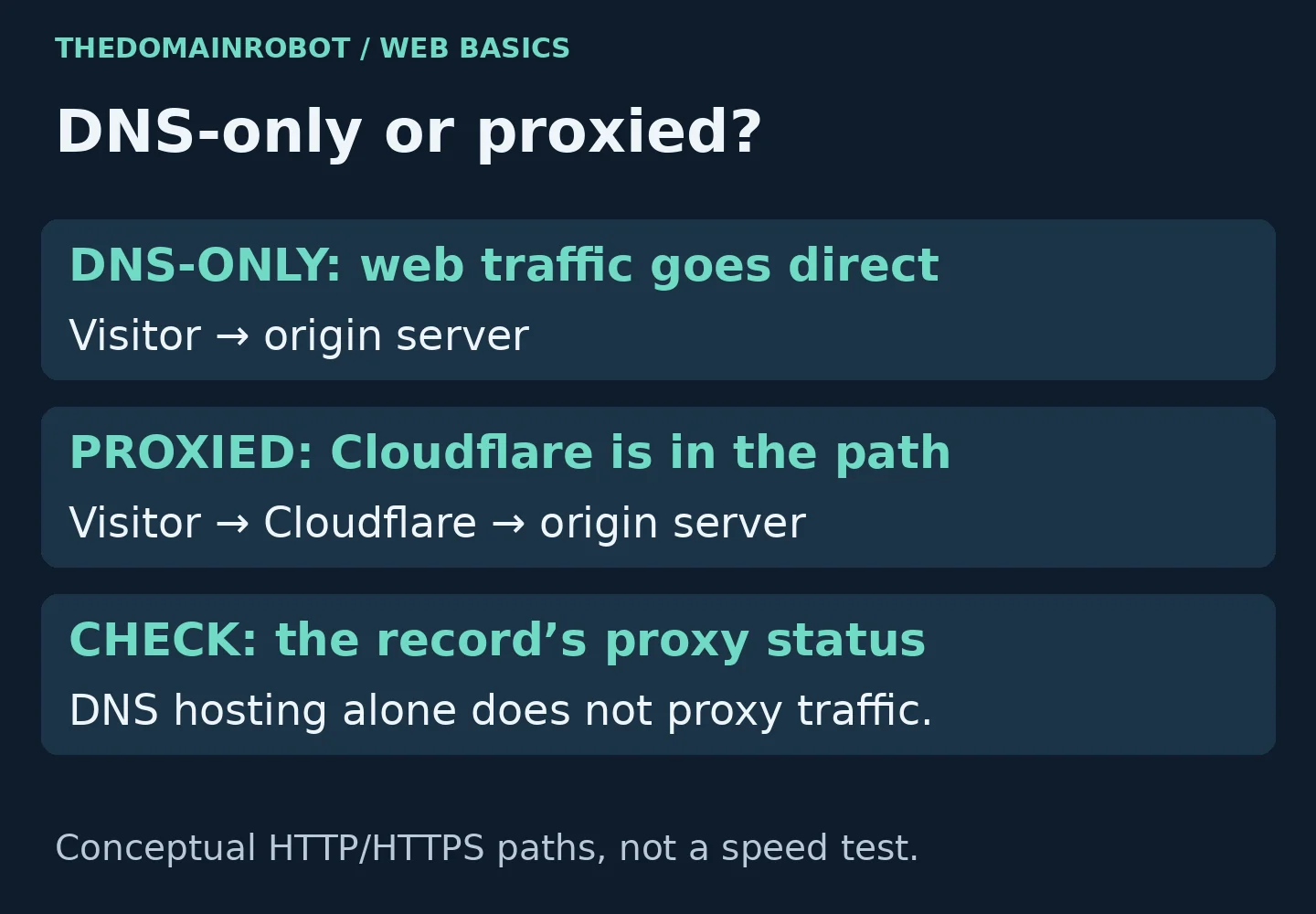
A domain's DNS records describe how its names connect to services. Cloudflare can serve those records while the website stays at its existing origin host. With a DNS-only address record, it returns the destination address without proxying that hostname's web traffic.
This separation matters when your goal is DNS management rather than website caching. A DNS-only setup should not be described as getting all the proxy's web protections. Conversely, moving DNS does not mean the files and database have moved into a new hosting account.
If you are unsure which company controls the domain registration, our domain lookup tool is a starting point. Registration, DNS hosting and website hosting are separate roles, even when one provider supplies all of them.

Benefit 2: cache eligible website assets
For a proxied hostname, Cloudflare can serve cacheable resources from its network rather than fetching the same resource from the origin for every request. That can reduce repeated origin work and shorten delivery paths for reusable content. It does not establish a guaranteed improvement for your particular website.
Default caching is selective. Cloudflare's documentation says it does not cache HTML or JSON by default, and describes eligibility based on file extension, response headers, request method and other conditions. A cacheable image or stylesheet is different from a personalized account page.
Our Cloudflare cache explanation goes through that distinction. It is especially important when deciding whether a CDN will address the part of a site that feels slow. A dynamic page that still waits on the origin is not fixed merely because its images can be cached.
We would start with the actual content being delivered, then inspect its cache behavior before adding broader rules. A rule that changes cache eligibility should be reviewed against the application's handling of private or personalized responses, rather than treated as a universal speed switch.
Benefit 3: put security controls in front of web requests
When an eligible record is proxied, Cloudflare can apply its configured security features to incoming requests. Its plan comparison includes DDoS protection, a Web Application Firewall and a Free Managed Ruleset. More advanced capabilities, rulesets and limits depend on the plan or product.
The important boundary is the proxy. A DNS-only website record exposes the origin address in its DNS answer, and Cloudflare does not optimize, cache or protect that hostname's web requests through its HTTP proxy. Merely using Cloudflare nameservers is not equivalent to routing all services through Cloudflare.
Also distinguish a network service from the application itself. Adding a request-filtering layer does not move your website code or replace your responsibility for the hosting account. We would treat it as one component of a setup, not evidence that every website issue is now handled.
Benefit 4: use core features without buying every add-on
Cloudflare offers a Free website plan. Its published comparison lists core DNS, CDN, SSL and security features across the plans, while other capabilities vary. The free option is useful to evaluate a suitable setup, but its existence does not prove it includes every capability your project requires.
Some products are separate add-ons or have their own usage-based billing. For example, the pricing page distinguishes load balancing and WordPress Automatic Platform Optimization from the basic plan comparison. We would identify the required feature first and read its billing terms, rather than assume that anything visible in the dashboard is free.
For a hobby website, the core features may be enough. For a business-critical application, support expectations, contractual commitments and specific technical requirements deserve a closer review of the applicable plan. Do not choose solely by traffic level or a generic claim that the free tier suits everyone.
What Cloudflare will not automatically solve
- Missing DNS records: changing the provider does not make an incomplete zone correct.
- Every slow page: default CDN behavior is not full-page caching for every application.
- Every service: the standard proxy is for compatible web traffic, not a blanket proxy for email and all other protocols.
- Every paid requirement: specialized features and support commitments need their own availability checks.
There is also an operational trade-off: with a proxied hostname, you have both an origin configuration and a Cloudflare configuration to understand. If a request fails after a change, checking only the hosting dashboard may not explain what the visitor received.
When your existing provider may be the better fit
Keeping your present DNS service can be sensible when it already supports the records you need and you do not want Cloudflare's proxy features. If your managed host or SaaS platform prescribes its own CDN or DNS integration, follow that provider's supported arrangement instead of adding a second layer without checking compatibility.
A separate CDN can also be the better choice when it meets a requirement Cloudflare's available plan does not. There is no need for an unsupported speed ranking between providers: compare the feature, integration and support conditions that matter for your website.
Frequently asked questions
Who should consider using Cloudflare?
Website owners who need its particular DNS, caching or request-filtering features should consider it. A small blog and a large store can both have relevant use cases, but their cache rules and operational requirements are not interchangeable.
Does changing DNS enable the CDN for every hostname?
No. Eligible web records need the appropriate proxy status. Mail and verification records often need to remain DNS-only. Our proxy-status guide explains the difference.
How do we get started?
Inventory the services on the domain before changing anything. Then use our Cloudflare setup guide to review records, delegation and HTTPS, followed by checks of the actual website and email services.